Straight Lines, Crooked Frame: When a Wider View Helps
Stepping back and switching to a wider phone camera can fit more of a scene, but your position, framing, and angle all affect how it looks.
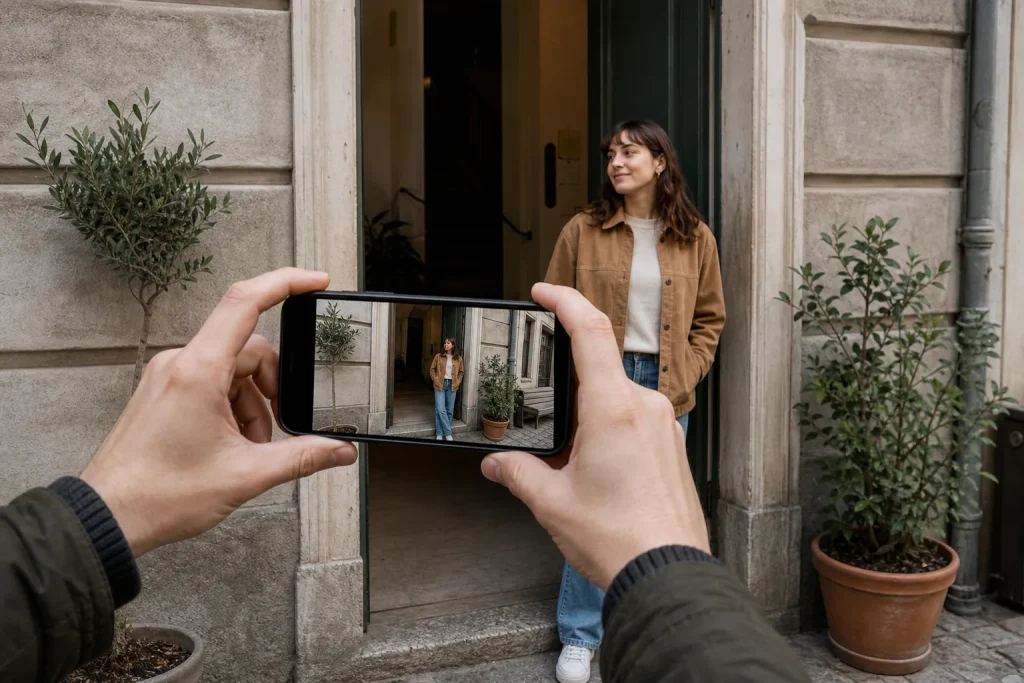
Stepping back and switching to a wider phone camera can fit more of a scene, but your position, framing, and angle all affect how it looks.
Composition · 6 min read
When a building’s vertical lines lean or a person near the edge looks stretched, switching to a wider phone camera may solve one problem while creating another. The wider view can include more of the scene, but the result depends on where you stand, how you aim the phone, and what lands near the corners.
It helps to separate two effects that are easy to mistake for each other: perspective and lens distortion. Perspective changes when your position changes. Lens distortion comes from how a lens projects the scene onto the image. Knowing the difference helps you choose between changing position, switching cameras, or reframing.
What changes when you step back?
Perspective describes how the relative sizes and positions of near and far parts of a scene appear from a particular viewpoint. Move closer to a doorway, and its near edge may look much larger than its far edge. If you step back and keep the same viewpoint direction, the difference in apparent size between those edges generally becomes less pronounced. But the final impression also depends on how you reframe: changing your position sideways, aiming at a different point, or cropping can alter which relationships stand out. The doorway may look more evenly proportioned, but it will occupy less of the frame unless you change the framing too.
Distance alone does not straighten a building’s vertical lines. If you tilt the phone upward to fit a tall facade, the vertical edges may converge toward the top. That convergence comes from aiming the camera upward. Moving farther away can sometimes let you include more of the building while keeping the phone level, but only if you have enough space and can frame the scene from that position.
A wider camera does not automatically straighten a building, either. If you keep your position and tilt the phone, the lines can still converge. When space allows, try stepping back and holding the phone level; then choose a view wide enough to include the facade. If that changes the composition too much, decide whether the extra context is worth including or whether a slight crop is acceptable.
What does the wider camera add?
A phone’s wide camera records a broader angle of view. It can fit a full facade, a small room, or more of a group without requiring you to retreat as far. On many phones, the camera app marks this view with a wide-angle icon or a control such as “0.5x.” The label and available cameras vary by model.
At the edges of a wide view, shapes can look stretched or pulled outward. This is often most noticeable when a face, hand, or round object sits close to a corner. The effect may suit a close foreground object meant to feel dramatic, but it can distract when a subject should look natural.
Some phones correct lens distortion in the camera app or during processing. Correction can make edges look more orderly, but it cannot change the viewpoint that created perspective. Nor does it mean every subject near a corner will retain its shape. Keep important faces and objects away from the extreme edges when natural proportions matter.
When is stepping back the better choice?
Step back when there is room and you want to change the relationship between near and far parts of the scene. For example, this can help when a nearby doorway edge looks disproportionately large beside the far edge. But stepping back is not a universal fix: it may bring distracting objects into the frame, force you to change your angle, or simply be impossible in a small room. Judge the result in the camera preview rather than assuming distance will improve every composition.
Say you are photographing a friend beside a doorway, but the regular camera view cuts off part of the frame. If there is clear floor behind you, step back while keeping the phone aimed from the same general direction, then check whether the friend and doorway fit with the proportions you want. If the view feels too loose, move closer again or crop some empty space later. If a wall blocks you, use the wider camera, place your friend away from the outer edge, and leave margin around the doorway for a possible crop.
In a cramped room or near a busy street, retreating may not be safe or useful. In that case, stay where you are and choose the wider view only if its broader framing is worth the edge stretching. Keep people and other important details nearer the center when possible.
How can you keep edge distortion under control?
Before taking the photo, scan the frame from center to corners. Check whether a face, hand, sign, table leg, or circular object is close to an edge. If an important subject sits near a corner, shift it inward or change your own position if the scene allows; otherwise, use a narrower view if it still includes what matters.
For architecture, hold the phone upright and level when possible. A level phone can reduce converging verticals, while moving back may let more of the building fit without tilting. If it still does not fit, try the wider view and inspect the outer edges. Straight vertical lines do not necessarily mean the building’s whole shape looks natural, because a very wide view can make its sides appear to spread apart.
For group photos, check whether people at the outer edges look stretched. If they do, ask the group to shift inward or use a narrower view and include fewer surroundings. If neither option works, keep the wider framing and accept some edge distortion rather than forcing people into an uncomfortable arrangement. Extra space can also leave room for a later crop, but cropping cannot restore natural proportions that were not captured.
What is not worth correcting?
Not every line needs to be perfectly straight. A slight lean in a candid street scene may matter less than preserving a person’s expression and surroundings. Heavy perspective correction can also make a photo feel unnaturally compressed or require a crop that removes useful context. Correct the lines that distract from the subject, not every line visible in the frame.
There is little value in switching repeatedly between camera views if the subject is moving and the current composition already works. Choose a view that includes the scene, check the corners, and take the picture. When the subject is still, compare options; when the moment is passing, prioritize the expression or action over a technically tidy frame.
A wider view helps when its extra angle lets you include the scene or hold the phone level, but it does not replace a deliberate choice of viewpoint and framing. Step back only when the available space and resulting composition suit the picture. Otherwise, stay put, choose the view that contains what matters, and check the edges before pressing the shutter.