The Bright Window Problem: Place the Subject Before Changing Exposure
When a bright window and a person share the frame, decide what matters most before touching exposure. A small shift in subject or camera position can change the composition and the light reaching the face in ways a slider cannot.
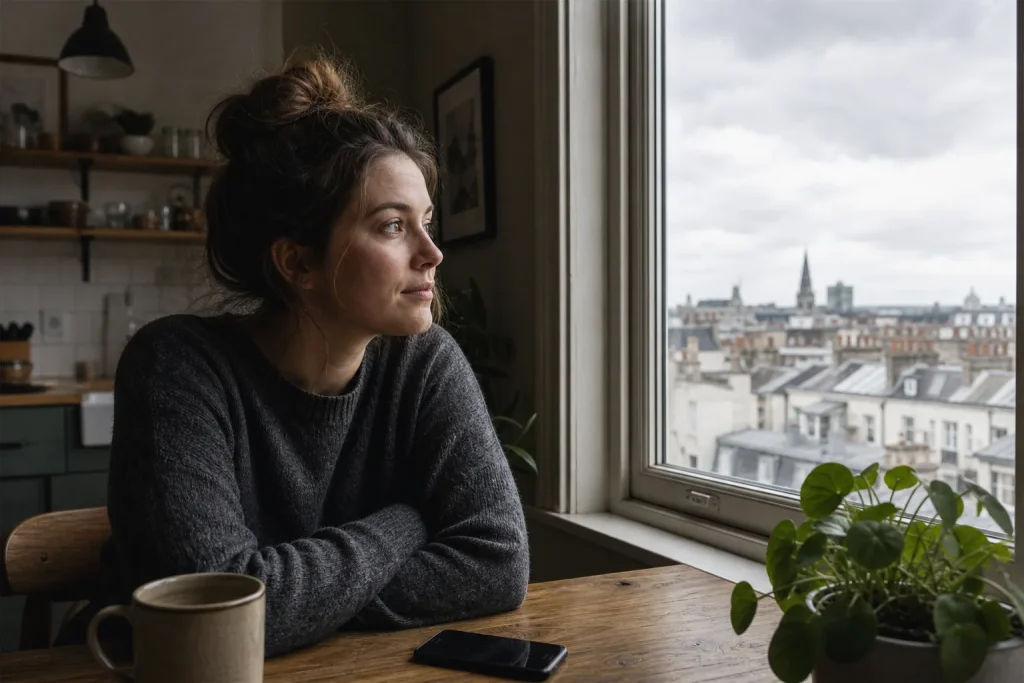
When a bright window and a person share the frame, decide what matters most before touching exposure. A small shift in subject or camera position can…
Light · 8 min read
A face beside a bright window can look too dark even when the camera’s exposure is working as expected: the window may be much brighter than the room, and the phone has to render both in one image. Before lowering or raising exposure, decide whether the window belongs in the picture at all. Moving the subject or camera changes the composition and may change how much window light reaches the face; exposure changes how bright the phone renders the frame. Each choice gives something up.
What do you want the window to do?
Start by naming the window’s job. It might be a bright backdrop that shows the room’s setting, a source of light on someone’s face, or simply an unwanted patch competing for attention. The right choice depends on that job, not on a universal rule that windows should be exposed correctly.
Look at the screen and ask two practical questions: Does the person’s face need more detail, and does the view outside need to remain visible? Phone cameras may not preserve every detail in a scene with a large brightness gap. If you prioritize the face, the outside view may turn pale or blank. If you prioritize the window, the face may become a silhouette. That trade-off is about which part carries the meaning of the photograph.
Also check whether the bright area is actually distracting. A window rendered as a simple white shape can work if the face is clear and the composition feels intentional. Trying to recover every cloud or rooftop can make the person look dim and the image feel flat. What is not worth the effort is repeatedly tapping different screen areas in the hope that the phone will make a difficult lighting setup behave like even daylight. Decide what should read first, then adjust the scene or exposure toward that goal.
When should you move the subject?
Move the subject when a small change in position may improve the light on the face without losing the setting. Ask the person to step nearer the window, turn slightly toward it, or move farther from it, then check the screen. A change in distance does not have a single predictable effect: the result depends on the window’s size and position, the subject’s orientation, the room’s surfaces, and other light sources.
Turning toward the window may brighten the eyes and reveal more facial detail, though it can create stronger contrast between the lit side and the side turned away. Moving nearer or farther can also alter the balance of light, but the direction and size of that change depend on the scene. Watch the face on screen rather than assuming that a particular direction will always work.
Subject movement is a good fit when the window matters to the scene and the person can shift without looking awkward. It is less useful if the subject must remain in a particular place, such as beside a window seat that explains the moment, or if the available space is tight. In that case, try changing your own position first.
When should you move the camera?
Move the camera when the subject’s position makes sense but the window is taking up too much of the frame or sitting directly behind the face. A step sideways can place the window beside the person rather than behind them. A small change in height can reduce the amount of bright glass visible, while a closer framing can leave out part of the window altogether.
These adjustments alter composition, not just brightness. A sideways move may reveal a wall, curtain, or darker corner that gives the face more separation. A tighter frame may remove the view that established where the person was. Lowering the camera can bring the window’s frame into a different relationship with the subject, but it may also make the angle on the face less flattering. Check the edges of the screen for newly included distractions, such as a lamp, doorframe, or cluttered table.
Say you are photographing a friend sitting at a kitchen table with a bright window behind them. If the view outside is not important, try one step to the side until the window sits beyond the friend’s shoulder rather than directly behind their head. The expected visible result is a clearer outline between face and background, with less bright glass competing at the center. If the move puts a busy cabinet behind the friend, return to the original position and try another angle.
When does changing exposure fit?
Adjust exposure when the framing and subject position already work, and you mainly need to favor one part of the scene. In many phone camera apps, tapping the face sets the focus point and exposure there; a sun icon or vertical slider then lets you nudge brightness. The interface varies by phone, so use the control your camera app provides rather than relying on a particular icon.
Raise exposure if the face is the priority and it looks too dark. The window may lose detail and become a bright, featureless area. Lower exposure if the window view matters more than facial detail; the face may darken, though it can still read as a deliberate silhouette if its outline is clear. Small adjustments are easier to judge than a large swipe. Watch both the face and the window as you move the control, then stop when the priority looks right.
Exposure adjustment does not move light around the room. It changes how bright the camera renders the frame, so it cannot make a bright window and a shaded face equally detailed if the scene’s contrast exceeds what the phone can capture. Nor does tapping the face remove the window’s visual weight. If the frame feels unbalanced, repositioning is the more direct fix.
What if you need both the face and the view?
When both matter, first look for a way to reduce the contrast in the scene. Turn the subject slightly toward the window and check whether the face becomes easier to read. If a nearby light-colored wall is in a position to receive window light, try placing the subject where that wall can reflect some light toward the shadowed side. The effect depends on the wall’s position, color, and the other light in the room, so judge the face on screen rather than assuming the wall will brighten it. A white curtain can soften direct sun, though it may also reduce the view outside.
If you cannot change the light, choose a compromise. Keep the face recognizable and accept that the outside view will be washed out, or preserve the view and let the face fall into shadow. A silhouette can suit a quiet, graphic image; it is a poor fit when the photograph is meant to show someone’s expression. Let the photograph’s purpose decide which loss is acceptable.
Some phone cameras offer an HDR setting or automatically combine exposures. It may preserve more detail across a high-contrast scene, but its effect varies, and it does not change where the light falls. Check the captured image for unnatural-looking edges or a face that still feels too dim. Treat HDR as an option, not a reason to ignore composition.
Which choice fits your situation?
- The face matters most, and the window is just background: Check whether the face is too dark and the window distracts. If so, move the camera to reduce the window’s area or shift it away from the face, then tap the face and raise exposure only as needed; if the new angle introduces a distraction, return to the original framing and favor the face with exposure instead.
- The window view is part of the story: Check whether the view is visible and whether the face remains recognizable. If both matter, turn the subject toward the window and reassess; if the view still needs priority, lower exposure and accept a darker face, or keep the face brighter and accept a paler view.
- The person must stay where they are: Check whether a sideways or height adjustment separates the face from the brightest glass. If it does, use that angle; if no angle improves the frame, expose for the detail the photograph needs and accept that the other area may lose detail.
- The subject can move and the setting matters: Check the face and background after a modest shift toward the window or to one side. If the face gains readable light and the setting remains clear, keep that position; if the setting disappears or the face becomes more unevenly lit, return to the original spot and try a camera adjustment.
- You want a silhouette or a graphic shape: Check that the outline reads clearly against the bright window. If it does, lower exposure only as much as needed to preserve the shape; if the outline blends into the background, change the subject or camera position rather than darkening the frame further.
- A nearby wall might reflect light: Check whether the wall receives window light and whether the shadowed side of the face looks easier to see when the subject shifts. If it does, keep the position and judge the balance; if not, return to the starting position and use a camera-angle or exposure change instead.
After each change, take a fresh look at the whole frame rather than judging only the brightness slider. A successful adjustment should make the intended subject easier to notice, even if some window detail disappears. The useful question is not whether every part of the picture is equally bright, but whether the light and placement support what you meant to photograph.